Microsoft has been slowly but surely making Windows worse. A couple years after announcing that Windows 10 would be the last, the company not only released Windows 11, but did so in a raw, unpolished manner, taking a whole year to fix the severe bugs related to AMD CPUs. They then started placing ADS on what is a PAID operational system(100$ by the way), and now announced a creepy, never asked for feature: AI that can access recordings of your whole computer at any time.
For those of us who like having a little privacy, not hard crashing and no Ads on our computer when all you want is to open the calculator app, fortunately, there are still alternatives! Now, I COULD include MacOS(through Macbooks/Macintosh) in the list… but considering their price, lack of upgradeability/right to fix, and my hope that people still have brain cells out there, I won’t. This leaves just one last option: Linux.
I could lie, and tell you “Oh but linux is perfect now”. It isn’t. But neither is Windows. The difference between the two however, is that while Linux has been getting BETTER the past couple years, Windows has been getting WORSE. So, without further ado: Here’s a list of the best alternatives to Windows 10/11 in 2024!
Linux Mint
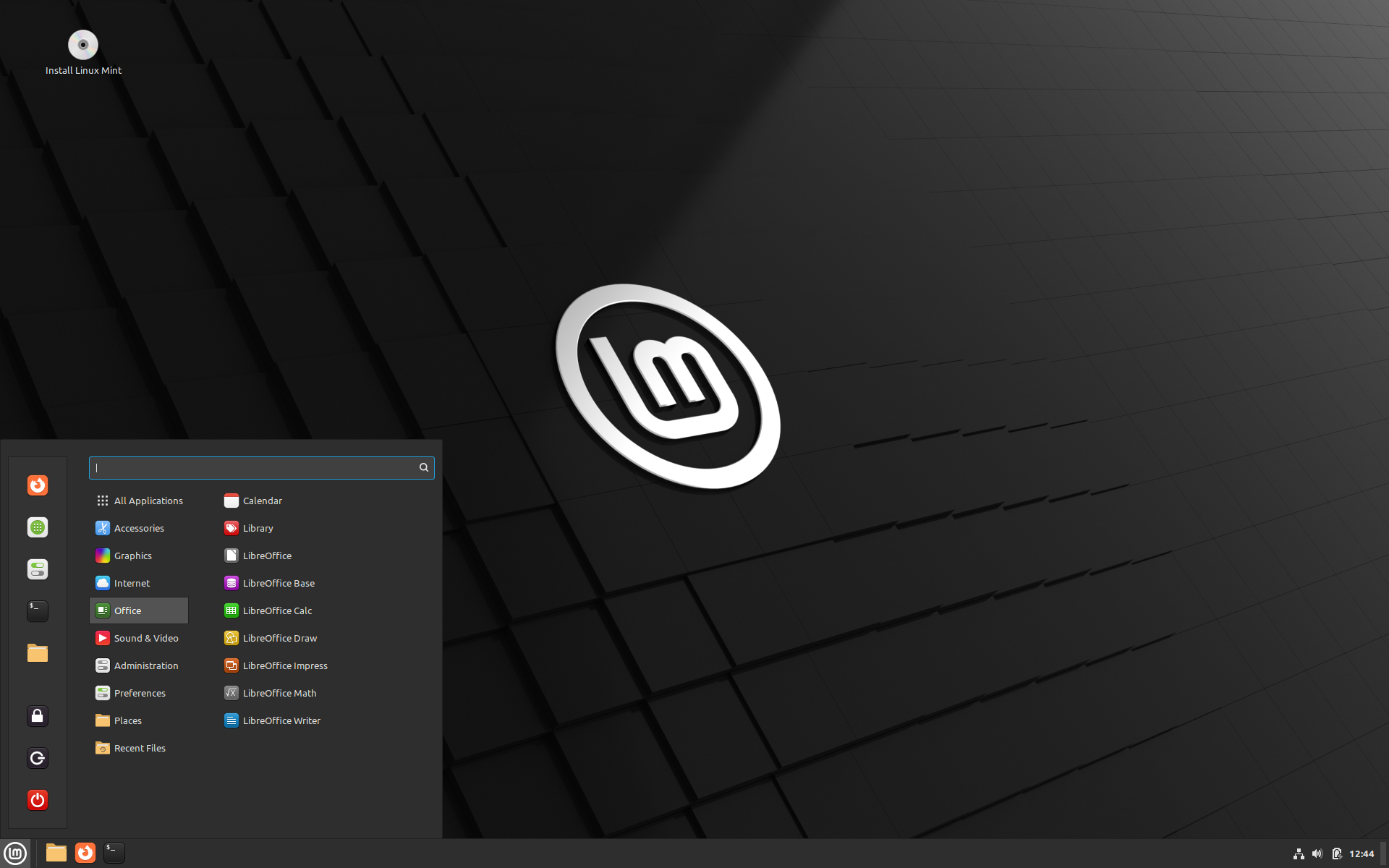
If you ever looked up Linux, you have seen something about it. Linux Mint is one of the most popular linux variants, and for good reason: It’s simple, easy to use, similar to what most users are used to, fast and just works.
Once you install it, and have all the good stuff you need. Office programs? it comes with Libre Office, super similar to Microsoft Office. Browser? Comes with Firefox, but you can install Chrome, Opera, Edge, etc. Games? Steam comes installed and over 10.000 games work just fine.
The devs behind it also go one step further and created a couple tools of their own: MintBackup, driver manager, mintreport, etc.
Ubuntu

Ubuntu is another very famous option. It has a slightly different design, with the taskbar on the left side by default and tray icons on the top, but overall, is also extremely easy to use and comes with basically the same apps as Linux Mint.
The biggest difference is a little hidden from view: Ubuntu tends to update things faster than Mint, because the later is based on it. That means, there’s usually a new version of Ubuntu with a new kernel and drivers a month or two before Linux Mint. This however doesn’t mean you cant update those on your own before both of them.
Pop!_OS
Another system based on Ubuntu: s designed to make the Linux experience more user-friendly for newcomers and those transitioning from other operating systems, particularly Windows and macOS. It has a design a little more similar to MacOS, mostly equal to ubuntu’s but tweaked for better performance.
Pop!_OS also promises to offer better privacy, not collecting any data and using minimal amounts of information for things such as updates and connectivity verification. Anything installed through flatpak is also required to ask permission from the user to access anything beyong the basic needed to function, according to their website.
Good privacy, however, tends to be the default in the Linux world.
Manjaro

Manjaro is based on a very popular Linux system, according to steam Steam, called “Arch”. It’s a more user friendly version of it, having a Windows-like visual. Updates to everything, from apps to the system itself, are come out quite fast compared to the previous systems listed.
Another cool feature is that manjaro is rolling release. That means you won’t need to install a whole new version losing all your stuff whenever it comes out.
Other systems
The Linux ecosystem is incredibly diverse, with numerous distributions that cater to different needs. Each Linux flavor has its advantages, like user-friendly interfaces or cutting-edge technology. This variety ensures that users can find a system that fits their style, whether they prefer stability, innovation, or customizability. If the options above didn’t catch your interest, here are a few more:
- ElementaryOS – VERY similar visually to MacOS
- Kubuntu – Ubuntu with a different visual
- ArchLinux – For advanced users
- Kali Linux – Great for Cyber Security Experts
Like my content? Support me with a tip!