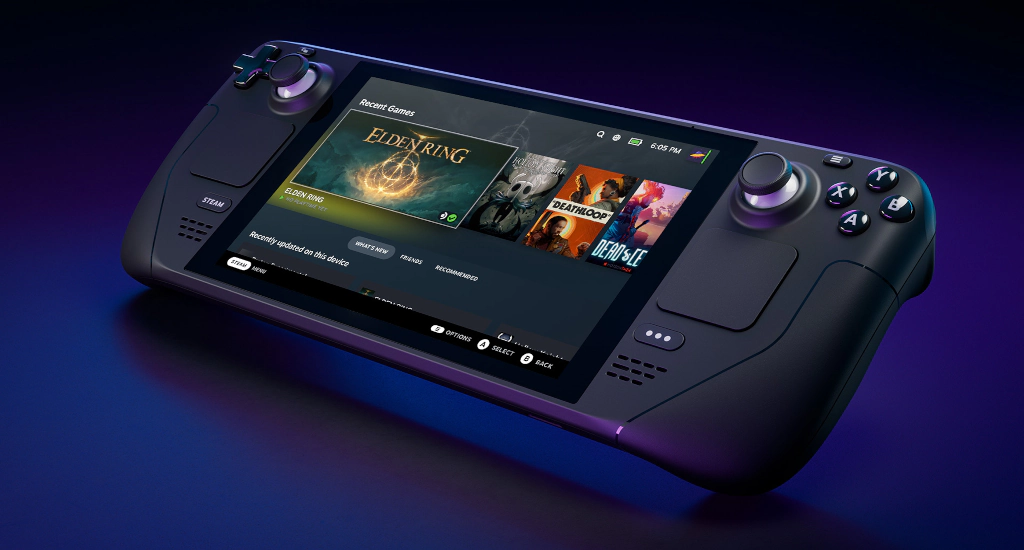
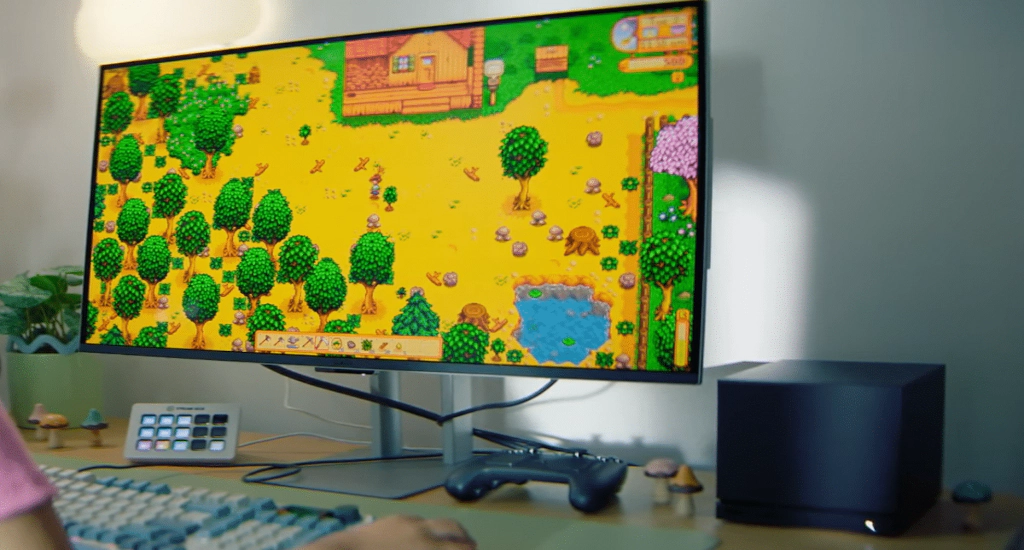
Valve’s official Steam Machine faced delays in early 2026 due to component shortages, with the company pushing the launch into the first half of the year. But you don’t need to wait — you can build a living-room gaming PC today that runs every Steam title via Proton, costs less, and is fully upgradeable. This guide uses only 2026 information.
1. What Is a Steam Machine?
A Steam Machine is a compact, living-room-friendly PC that runs Steam in a controller-optimized interface. Valve’s SteamOS is an Arch Linux–based operating system with the Proton compatibility layer built in, which lets you play thousands of Windows games without extra configuration. You can install it on any compatible PC — you’re not limited to Valve-branded hardware.
SteamOS 3.8 has particularly strong support for AMD-based systems, according to Valve’s official page. AMD hardware is therefore the safest choice for Linux gaming in 2026.
2. Hardware — 2026 Parts Recommendations
Below are three performance tiers. All use Mini-ITX motherboards and SFX or SFX-L power supplies to keep the build compact enough for a living-room AV rack.
Budget Tier (around $700–$900)
| Component | Recommended 2026 Pick | Why |
|---|---|---|
| CPU | AMD Ryzen 5 7600 (6 cores / 12 threads, Zen 4) | Matches Valve’s expected Steam Machine performance tier; excellent Linux support |
| GPU | AMD Radeon RX 7600 (8GB) | RDNA 3 architecture with mature Linux drivers; solid 1080p/1440p performance |
| Motherboard | B650 Mini-ITX (e.g., ASUS ROG Strix B650-I) | PCIe 4.0, DDR5 support, compact form factor |
| RAM | 32GB (2×16GB) DDR5-6000 | Dual-channel for Ryzen 7000; headroom for Proton titles |
| Storage | 1TB NVMe SSD (PCIe 4.0) | Fast load times; ample space for a large Steam library |
| PSU | 650W SFX, 80+ Gold | Efficient, compact, reliable |
| Case | Fractal Design Terra or Cooler Master NR200P | Compact with excellent component compatibility |
This tier matches the performance of Valve’s expected hardware, according to 2026 guides from Linuxano and IGN.
Mid-Range Tier (around $1,200–$1,500)
| Component | Recommended 2026 Pick |
|---|---|
| CPU | AMD Ryzen 7 7800X3D (8C/16T) |
| GPU | AMD Radeon RX 7800 XT (16GB) or NVIDIA RTX 4070 |
| Motherboard | B650E or X670 Mini-ITX |
| RAM | 64GB (2×32GB) DDR5-6000 |
| Storage | 2TB NVMe SSD (PCIe 4.0) |
| PSU | 750W SFX-L, 80+ Platinum |
| Case | Fractal Design Ridge or iQunix ZX-1 |
High-End Tier (around $2,000+)
| Component | Recommended 2026 Pick |
|---|---|
| CPU | AMD Ryzen 9 7950X3D |
| GPU | AMD Radeon RX 7900 XTX or NVIDIA RTX 5080 (late 2026) |
| Motherboard | X670E Mini-ITX |
| RAM | 64GB (2×32GB) DDR5-6000 |
| Storage | 2TB primary NVMe + 4TB secondary SATA SSD |
| PSU | 1000W SFX-L |
| Case | iQunix ZX-1 (premium aluminum build) |
3. Case Selection — Best 2026 Mini-ITX Options
Based on 2026 testing by Digital Foundry and PC Gamer publications:
| Case | Volume | GPU Support | CPU Cooler Support | Key Strength |
|---|---|---|---|---|
| Fractal Design Terra | 10.4L | Up to 322mm | Up to 77mm (adjustable spine) | Best overall — moveable spine balances GPU vs. CPU cooler space; elegant wood-accented design |
| Cooler Master NR200P | 18.25L | Up to 330mm | Up to 155mm air or 280mm AiO | Best value — tool-free panels, includes PCIe riser and fans, supports liquid cooling |
| iQunix ZX-1 | 10.6L | Up to 305mm | Up to 240mm AiO | Premium aluminum unibody with PCIe 4.0 riser included; distinctive looks |
| Fractal Design Ridge | 12.6L | Up to 335mm | Tall design with excellent airflow | Best tower-style SFF case |
The Terra’s moveable spine lets you prioritize either a longer GPU or a taller CPU cooler — crucial in compact builds. The NR200P is the easiest for first-time builders thanks to tool-free panels and included accessories.
4. Operating System Options
SteamOS 3.8 (Official)
Valve’s own OS is optimized for gaming with:
- Proton compatibility layer running thousands of Windows titles automatically
- Steam Verified labeling for tested games
- Controller-first interface with quick suspend/resume
- Rolling system updates that include drivers and firmware
Important limitation in 2026: Valve officially supports SteamOS primarily on Steam Deck, Legion Go S, and licensed Steam Machines. You can test it on other PCs, but broad consumer installation is still being expanded. Compatibility is best on AMD-based systems.
Bazzite (Recommended Alternative)
Bazzite is an Arch-based distribution inspired by SteamOS, designed specifically for Steam Deck–style PCs. In 2026 it’s the most popular DIY choice because:
- Pre-configured for controller use and instant suspend/resume
- Rolling release keeps Proton and Mesa drivers current
- Easy installation of additional software
- Active community support
5. Step-by-Step Build Guide
Step 1 — Prepare Your Workspace
- Anti-static wrist strap or mat
- Phillips #0 and #1 screwdrivers
- Thermal paste (if not pre-applied)
- Zip ties or velcro for cable management
Step 2 — Assemble the Core Components
- Install the CPU into the AM5 socket. Lift the retention arm, align the gold triangle marker, lower gently — no force needed.
- Install RAM in the second and fourth slots from the CPU (A2 and B2). Press until the clips click.
- Mount the CPU cooler. For compact cases, use a low-profile air cooler like the Noctua NH-L9i-17xx or a 240/280mm AiO. Route the pump cable before securing the motherboard.
- Install the NVMe SSD. Remove the standoff screw, slide the drive in at a 30° angle, secure with the screw.
- Mount the motherboard into the case tray. Align standoffs and screw in from the back.
Step 3 — Power and GPU
- Install the SFX or SFX-L PSU into its cage. Connect the 24-pin ATX and 8-pin CPU power cables.
- Install the GPU. On the Terra, adjust the spine to prioritize GPU length if needed. Secure with one screw.
- Connect PCIe power cables to the GPU. Route cables under the motherboard tray when possible.
Step 4 — Final Touches
- Connect front-panel headers (power button, USB, audio) according to your motherboard manual.
- Install case fans. The NR200P includes two low-profile 120mm fans; the Terra needs aftermarket 120mm fans. Aim for front intake and rear exhaust.
- Double-check clearances. Ensure the GPU isn’t pressing against the PSU shroud or case wall.
6. OS Installation
Installing SteamOS 3.8 or Bazzite
- Download the latest ISO from the official project page.
- Create a bootable USB using BalenaEtcher or Ventoy on another PC.
- Boot your Steam Machine from the USB drive. Enter BIOS (usually F2 or Delete at power-on) and set USB as first boot device.
- Follow the on-screen installer prompts. Bazzite’s installer handles partitioning automatically.
- Connect to Wi‑Fi or Ethernet after first boot.
- Launch Steam, log in, enable Steam Guard, and let it download your library.
7. Controller and Living-Room Setup
A Steam Machine’s experience depends heavily on controller support. The best controllers for a 2026 Linux Steam Machine are:
| Controller | Linux Support | Notes |
|---|---|---|
| Steam Deck Controller | Native | Best experience — gyro, haptics, full Steam integration |
| DualSense (PS5) | Excellent | Adaptive triggers work in supported titles |
| Xbox Series X | S | Good |
| 8BitDo Pro 2 | Very good | Wide platform support, affordable |
Before buying a game, check ProtonDB to see its compatibility rating (Platinum, Gold, Silver, Bronze). A Gold or Platinum rating means it will run well on SteamOS or Bazzite.
8. Performance Tuning Tips
- Enable Resizable BAR in the BIOS for 5–15% GPU performance gains
- Use Mesa 26 or newer drivers (included in Bazzite/SteamOS 3.8) for best AMD GPU performance
- Set a GPU power limit via Radeon Software or Wattman to reduce noise without sacrificing frames
- Enable Steam’s Shader Pre-Caching to reduce stutter on first launch
- Use Quick Suspend/Resume (SteamOS/Bazzite only) to pause and resume games instantly like a console
9. Troubleshooting Common Issues
| Issue | Solution |
|---|---|
| Game won’t launch on SteamOS | Try a different Proton version in Steam → Properties → Compatibility |
| Controller not recognized | In Steam → Settings → Controllers, enable Steam Input |
| Thermal throttling in SFF case | Reposition the Terra’s spine for better airflow; add a Noctua NA-FD1 fan duct kit |
| No Wi‑Fi adapter | Most Mini-ITX boards include Wi‑Fi; otherwise add a USB 3.0 Wi‑Fi 6E dongle |
| DisplayPort/HDMI not detected | Reseat the GPU, try a different cable or port |
10. Why Build Your Own vs. Waiting for Valve’s Machine?
Building your own Steam Machine in 2026 gives you:
- Immediate availability — no waiting for Valve’s delayed launch
- Lower cost — no OEM markup
- Full upgradeability — swap CPU, GPU, RAM, or storage anytime
- Better performance per dollar — off-the-shelf components outpace Valve’s mobile-class chip
- Complete control — install Windows, other launchers, or media center software if desired
Quick Reference — 2026 Build Checklist
CPU: Ryzen 5 7600 or better (AMD recommended for Linux)
GPU: Radeon RX 7000 series (recommended) or NVIDIA RTX 40/50 series
Motherboard: Mini-ITX AM5 (B650 or X670)
RAM: 32GB+ DDR5 dual-channel
Storage: 1TB+ NVMe SSD (PCIe 4.0)
PSU: 650W+ SFX/SFX-L, 80+ Gold
Case: Fractal Design Terra, NR200P, or iQunix ZX-1
OS: SteamOS 3.8 (if available) or Bazzite
Controller: Steam Deck controller or DualSense
BIOS: Enable Resizable BAR, XMP profile, and ReBAR
Happy gaming — and no more waiting for Valve.
 Buy me a Ko-fi
Support this blog ❤️