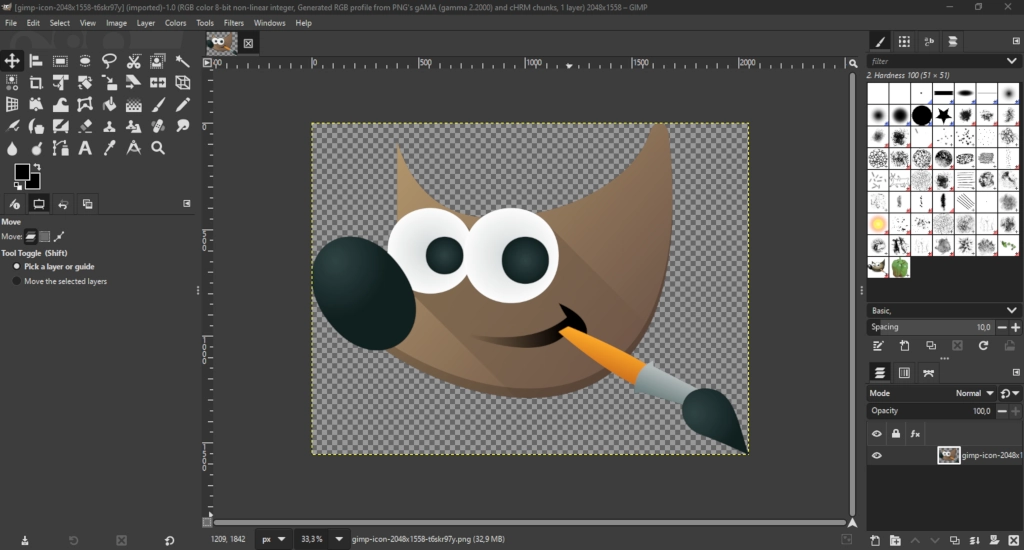
After seven years of tireless development, the long-awaited update for the free photoshop alternative has finally arrived! The major release—launched on March 16, 2025—is already winning praise by everyone for all its changes, but is it really that good? Lets take a look through the changes and see whats new and improved.
Modernized User Interface
- Transition to GTK+ 3:
The complete shift from GTK+ 2 to GTK+ 3 brings better UI scaling on HiDPI screens, native Wayland support on Linux, and improved performance. This upgrade ensures a cleaner, more modern look and enhanced support for tablet input. - Streamlined Layout:
Users now enjoy a more intuitive interface with a consistent design that reduces clutter and simplifies navigation.
Performance
- Build Process:
The build process has been improved by switching from autotools to Meson, leading to faster compilation times. - Multithreading:
Enhanced multi-threading and thread safety (notably in XCF saving and painting operations) improve overall performance.
Non-Destructive Editing
- Editable Layer Effects:
Filters and adjustments remain non-destructive, meaning you can edit, toggle, re-order, or remove them after application without permanently altering the image. - Flexible Workflow:
This update eliminates the need for duplicating layers to preserve earlier states, aligning GIMP more closely with the workflows seen in professional software.
Enhanced Editing Tools
- Multi-Layer Selection:
Easily select and manipulate multiple layers, channels, and paths simultaneously, streamlining the process of working on complex projects. - Off-Canvas Editing:
Painting tools can now automatically expand the canvas as you draw beyond current boundaries, reducing manual adjustments. - Advanced Text Styling:
New text tools allow for non-destructive styling—including outlines, shadows, and bevel effects—while keeping text fully editable even after effects are applied.
Improved File Format and Color Management
- Expanded File Compatibility:
GIMP 3.0 supports a broader range of file formats, including newer formats like QOI and JPEG XL, as well as improved handling of legacy formats such as PSD(photoshop), TIFF, and DDS textures. - Enhanced Color Management:
Better support for various RGB color spaces and groundwork for future CMYK and LAB editing ensure more reliable color workflows across different media and print standards.
Community and Future Updates
- Growing Plugin Support:
With extended support for plugins written in Python 3, Lua, JavaScript, and Vala, users can further customize and enhance GIMP’s functionality to suit their specific needs. - Translations and Iconography:
Updated translations in 48 languages and the introduction of a new Wilber logo enhance both global accessibility and visual identity.
As we can see, Gimp 3.0 is a massive and very needed upgrade from 2. With the update, the interface, performance and capabilities massively improved, giving everyone access to a free, open-source tool thats now closer than ever to be on pair with photoshop!
 Buy me a Ko-fi
Support this blog ❤️